



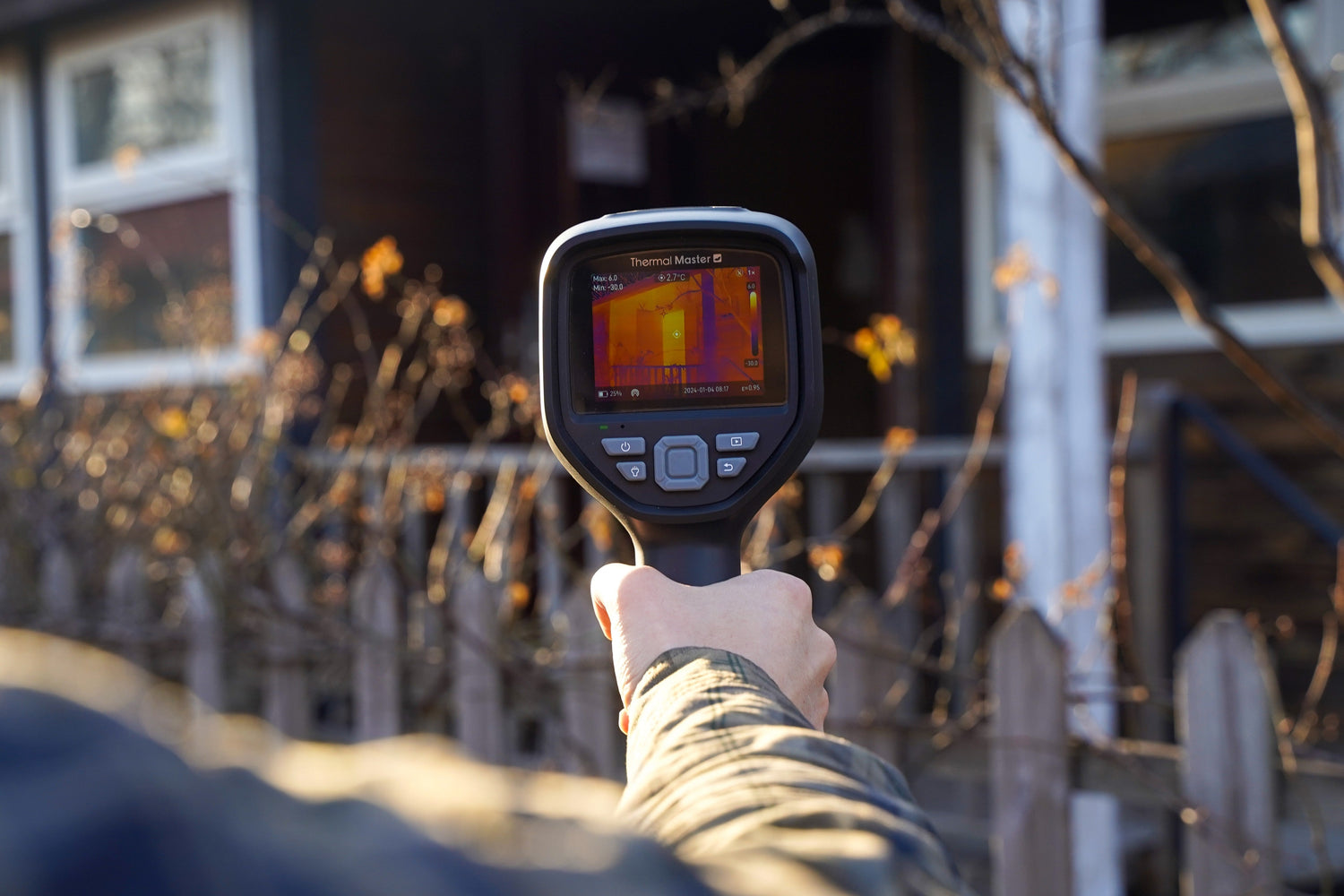
For beginners, choosing a handheld thermal imager means finding a device that is easy to use, reliable, and practical for everyday inspections.
- Handheld thermal imagers work independently without a phone, using full-area temperature scanning to speed up fault detection.
- Key factors to consider include resolution, thermal sensitivity, frame rate, temperature range, accuracy, image processing, battery life, and screen size.
- The Thor001 is ideal for detailed PCB and electronics inspections, while the Thor002 is better for fast, large-area scans like HVAC and electrical panels.

This guide covers the key features, specifications, and applications beginners should consider when choosing a handheld thermal imager.
1. Why Choose a Handheld Thermal Imager?
Compared with phone thermal cameras, handheld thermal cameras do not rely on a smartphone's battery, storage, or processing power. They can operate independently, making them better suited for long-term and frequent professional inspections.
They also change the traditional troubleshooting process. In the past, users had to measure components or circuits point by point with a multimeter. Today, a single thermal scan can display the temperature distribution of an entire area within seconds, making abnormal hotspots easy to identify and greatly improving inspection efficiency and fault detection speed.
2. Which Thermal Imager Specifications Matter Most?

These are the key specifications to consider when choosing the best handheld thermal imager for beginners.
- Resolution: Higher resolution captures more temperature details and distinguishes adjacent components more clearly.
- Thermal Sensitivity: Lower NETD values reveal subtle temperature changes and help identify potential issues earlier.
- Frame Rate: Higher frame rates provide smoother imaging and faster inspections.
- Temperature Range: A wider range covers most electrical, HVAC, and building inspection tasks.
- Temperature Accuracy: The smaller the measurement error, the more accurate the temperature readings.
- Image Processing: PC software support makes it easier to organize, analyze, and report thermal images.
- Battery Life: Longer battery life improves productivity during extended inspections.
- Display Size: A larger display makes thermal details easier to view.
3. What Can You Use a Handheld Thermal Imager For?
Fixing a Cold Upstairs Bedroom
The upstairs bedroom never seemed to get warm, even with the boiler running all day. Rather than guessing where the problem was, Mike used the Thor002 to scan the ductwork in the attic. A few minutes later, he spotted a cold area on the thermal image. With IR-Fuse™ enabled, the thermal and visible images lined up, making it easy to trace the cold spot to a loose duct joint. Warm air was leaking into the attic instead of reaching the bedroom.
With thermal sensitivity under 40 mK, the Thor002 easily picked up the subtle temperature difference. After Mike reconnected the duct, the upstairs bedroom heated normally again, and the homeowner's heating bills went down.

Finding the Cause of an Overheating Engine
Dave's car kept running hot on long drives, but the check engine light never came on. After a quick test drive, he scanned the engine bay with the Thor002 and immediately noticed one coolant hose was much hotter than the others, which pointed to a coolant circulation problem.
With a temperature range up to 550°C, the Thor002 covers everything from coolant hoses to exhaust manifolds, making it well suited for everyday vehicle diagnostics.
Tracing a Burning Smell in an Electrical Panel
Jake first noticed it in late June, but the smell gradually became stronger. He called community electrician James, who scanned the breakers with the Thor001. One circuit immediately stood out, running much hotter than the others. Further inspection revealed a loose terminal connection that had increased resistance and created a potential fire hazard.
James used the Thor001 to monitor nine temperature points at once and recorded the readings from the affected breaker and nearby circuits. The kind of quick, confident diagnosis that makes the Thor001 one of the best handheld thermal imager for beginners options for anyone new to electrical work.
Finding a Fault on a PCB
"I would've spent hours chasing this with a multimeter. Thor001 found the bad component in less than five minutes." — Alex
Alex's DIY synthesizer kept shutting down for no obvious reason. He had already replaced several components but still couldn't find the problem. He connected the Thor001, scanned the PCB, then snapped on the magnetic macro lens for a closer look. One tiny SMD resistor immediately stood out because it was running much hotter than the surrounding components.
Before picking up the soldering iron, Alex loaded the thermal image into the PC software and checked the 3D temperature map. The hotspot was easy to spot, confirming exactly which component had failed.

4. Thor001 or Thor002: Which One Is Right for You?
For PCB repair, electronics work, and finding small faults, the Thor001 is the better choice. With the detachable super macro lens, it can inspect components down to 0.25 mm at around 8 cm, making it easier to find tiny hotspots on circuit boards.
For HVAC, electrical panels, and mechanical checks, the Thor002 is a better fit. Its fixed focus and around 30 cm working distance make it faster for scanning larger areas.
Both models use X³ Super Resolution technology to enhance images up to 512 × 384 and support multi-point temperature readings. The Thor001 records nine temperature points, while the Thor002 records six. Both also offer customizable temperature alarms and visual alerts to help users quickly spot unusual heat patterns. Whichever one fits your use case, both stand out as some of the best handheld thermal imager for beginners options available today.
FAQ
Q: How well does Thor001 work for PCB repair? Is the macro lens sold separately?
A: Optimized for circuit repair, Thor001 has <35mK NETD and 512×384 super-resolution. It comes with a free magnetic macro lens for 8cm close-up inspection of tiny SMD components.
The macro lens comes standard with every Thor001 unit, no extra cost or separate purchase required.
Q: Can Thor002 Find Water Leaks Inside Walls?
A: Yes. When water leaks inside a wall and causes temperature changes, the Thor002 can detect abnormal areas through surface temperature patterns, helping locate potential leak spots and reducing unnecessary wall damage.
Q: How Does the Thor002 Improve Inspection Efficiency?
A: With a 25Hz frame rate, the Thor002 is built for fast inspections of HVAC systems, electrical panels, and mechanical equipment. It quickly scans larger areas, helping users spot abnormal heat patterns and speed up troubleshooting.

Leave a comment
All comments are moderated before being published.
This site is protected by hCaptcha and the hCaptcha Privacy Policy and Terms of Service apply.