



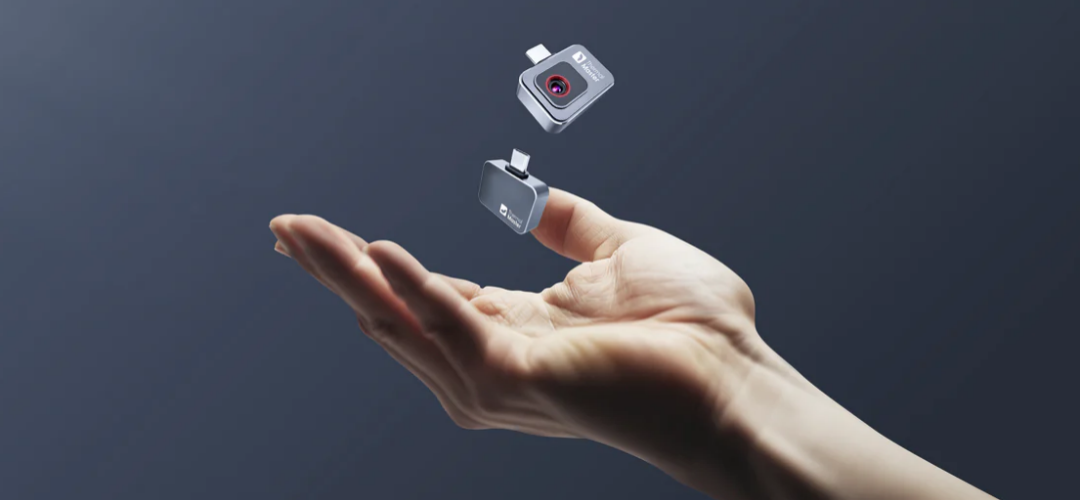
Thermal imaging is changing the way we use our smartphones, especially when it comes to detecting heat and spotting hidden problems. Thermal Master, a leader in thermal imaging technology, introduces the P2 — A compact and easy-to-use thermal camera for Android that turns your Android phone into a real-time thermal imaging tool.
Thermal Camera on Your Android Device
A thermal camera (or thermography) is a non-contact method of measuring temperature by detecting infrared radiation emitted from objects. This technology is widely used in electrical inspections, night vision, outdoor observation, industrial temperature monitoring, and home diagnostics. It helps you find hidden issues quickly and easily, without invasive procedures.

Thermal Master P2: World's 2nd Smallest Thermal Camera
The Thermal Master P2 is a lightweight, portable thermal camera that works seamlessly with any Android phone. Use it to check for heat loss around doors and windows, find water leaks in walls or ceilings, locate overheating chips on circuit boards, or inspect appliances for abnormal temperatures. It’s also useful for HVAC troubleshooting, monitoring battery heat in electronics, and verifying floor heating systems. With a USB plug-and-play setup, the P2 is ideal for homeowners, DIYers, technicians, and anyone who needs quick thermal detection without bulky equipment.

Key Features of the Thermal Master P2
- 10g Ultra-Light: Weighing just 10 grams, this portable thermal imaging camera is perfect for on-the-go thermal inspections.
- 512*384 High Resolution: Equipped with a Razor X Ultra-Clear sensor, it captures sharp and detailed thermal images in real-time.
- 15x Zoom: Provides a 15x zoom for enhanced observation in diverse environments.
- 1112°F High Prof Temp: Delivers ±1.5°C PCB accuracy and supports a maximum temperature range of 1112°F, meeting the demands of professional temperature measurement.
Easy Setup for Your Thermal Master P2
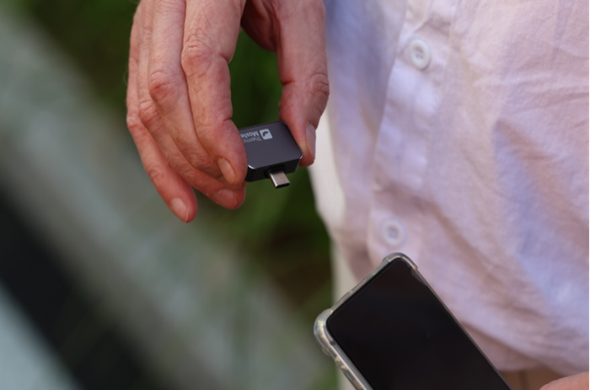
Getting started with the Thermal Master P2 is simple. First, download the Thermal P2 app from the Google Play Store. Then, plug the P2 thermal camera into your Android phone’s USB-C port. Once connected, open the app, and you'll immediately see a live thermal imager on your screen—no batteries or complicated setup required.
Now you're ready to detect heat loss, find water leaks, or identify overheating components—all in real-time, directly from your phone.

Frequently Asked Questions (FAQs)
1. How accurate is a smartphone thermal camera like the P2?
Smartphone thermal cameras can provide reliable surface temperature readings when properly calibrated. Accuracy depends on factors such as emissivity settings, distance, and environmental conditions, but they are suitable for most diagnostic and inspection tasks.
2. Can I use the P2 for electrical inspections?
Yes. Thermal imaging is commonly used to detect overheating components in breaker panels, outlets, wiring, and circuit boards. Identifying abnormal heat early can help prevent equipment failure or fire hazards.
3. Can the P2 record photos and videos?
Yes. When connected to the app, users can capture thermal images and record video directly on their Android device for documentation and sharing.
Related Reading:
Can a Phone Thermal Camera Detect PCB Leakage?


Leave a comment
All comments are moderated before being published.
This site is protected by hCaptcha and the hCaptcha Privacy Policy and Terms of Service apply.