



Choosing between a handheld thermal camera and a phone thermal camera is the first decision to make. Each is tailored to different users and inspection scenarios. Choosing the right device for your inspection needs can significantly improve inspection efficiency.
- Coolant leaks appear as clear temperature contrasts against surrounding high-heat components in thermal imaging.
- P2 is ultra-light and portable, ideal for car owners to keep on hand for routine cooling system checks.
- Thor002, with its built-in display and vehicle file archiving, suits professional use in auto repair shops.

Coolant leaks create recognizable thermal signatures when viewed on a thermal imager. This article includes real automotive inspection cases to demonstrate how these leaks are found. It also contrasts handheld thermal cameras with phone thermal cameras to help readers select the right model for leak diagnosis.
Why Traditional Coolant Leak Detection Falls Short?
Coolant leaks often start as tiny cracks, loose fittings, or worn seals that are difficult to spot. By the time a leak becomes visible, it may have already caused overheating or component damage.
Traditional detection methods have several drawbacks:
- Visual inspection only finds visible leaks.
- UV dye testing is effective but time-consuming and messy.
- Pressure testing requires special equipment and may not recreate all leak conditions.
- Manual inspection depends on experience and often requires disassembly.
As cooling systems become more complex, these methods can be slow and may miss hidden or intermittent leaks.
How to Find Coolant Leaks With a Thermal Camera?

A thermal camera detects temperature differences, helping you locate potential leaks before coolant becomes visible.
Step 1: Warm Up the System. Run the engine or equipment until it reaches normal operating temperature.
Step 2: Scan Key Components. Inspect the radiator, hoses, water pump, thermostat housing, expansion tank, and hose connections for unusual hot or cold spots.
Step 3: Identify Thermal Anomalies. Focus on checking for abnormal temperature patterns around hoses, joints, seals, and other cooling system components.
Step 4: Confirm the Leak. Inspect the suspected area closely and verify the leak before making repairs.
Step 5: Recheck After Repair. Scan the system again to ensure the abnormal thermal pattern has disappeared and the leak has been fixed.
Handheld vs. Phone Thermal Cameras: Real-World Case Studies
Coolant leak detection for vehicles happens in two main scenarios. These are DIY checks by car owners and professional inspections at repair shops. You pick a handheld or a phone thermal camera depending on the use case.
P2: Portable Smartphone Thermal Camera for Vehicle Owners
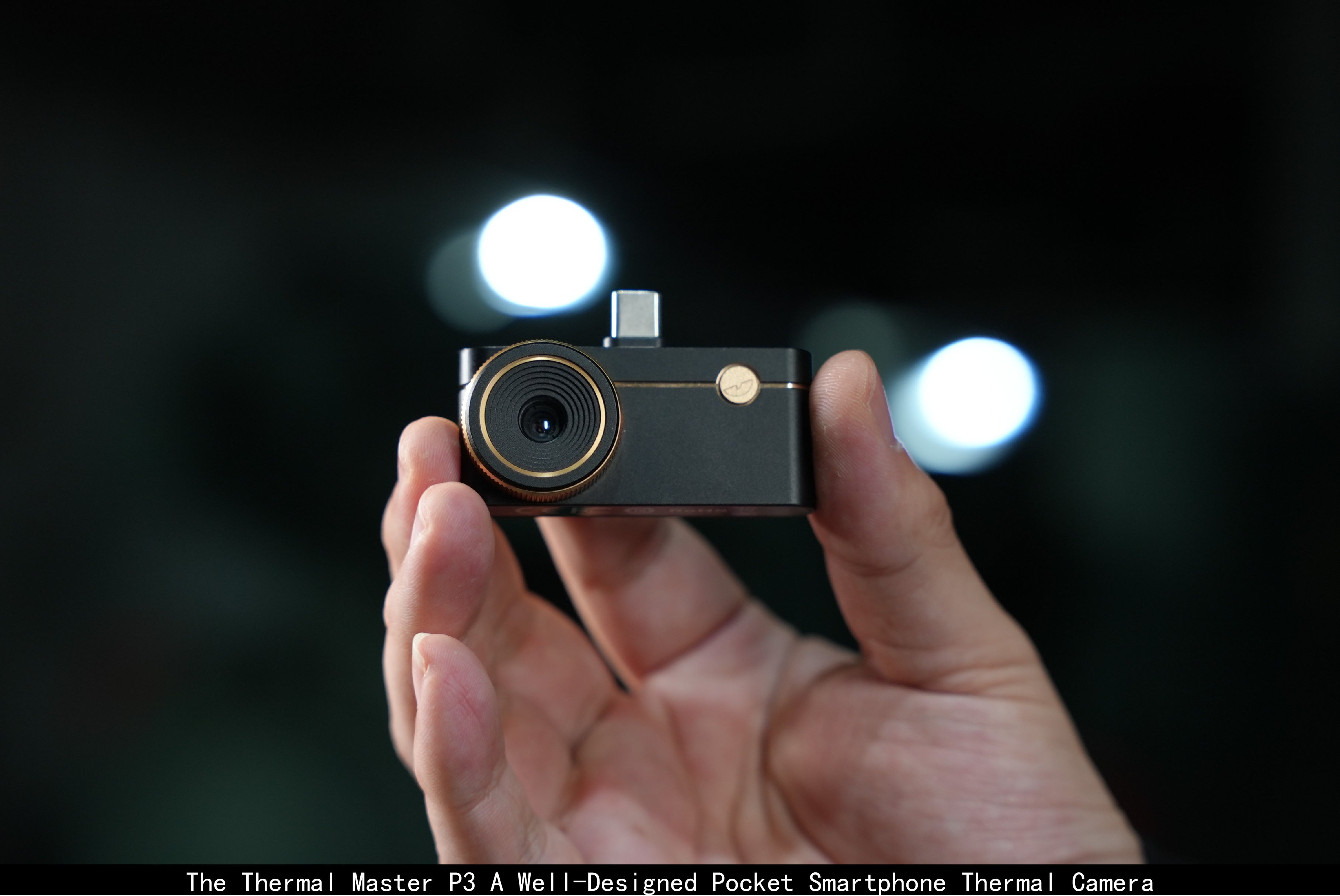
The Thermal Master P2 is a smartphone thermal camera weighing merely 9 grams. It delivers clear, delicate imaging and comes with a compact carrying case that fits easily in glove boxes or door pockets without occupying extra space.

"I drive an old inherited Chevy pickup that always has minor issues," said Mike, a pickup truck owner. "Once the water temperature gauge spiked suddenly. I tried touching the hose to check and got burned. After that, I keep my P2 thermal camera in its included case, attached to my keychain. Now whenever I notice abnormal temperature readings, I scan immediately. I can fix loose hose clamps on-site and pinpoint hidden leaks accurately without touching high-temperature components manually."
Thor002: Large-Screen Handheld Thermal Camera for Auto Repair Professionals
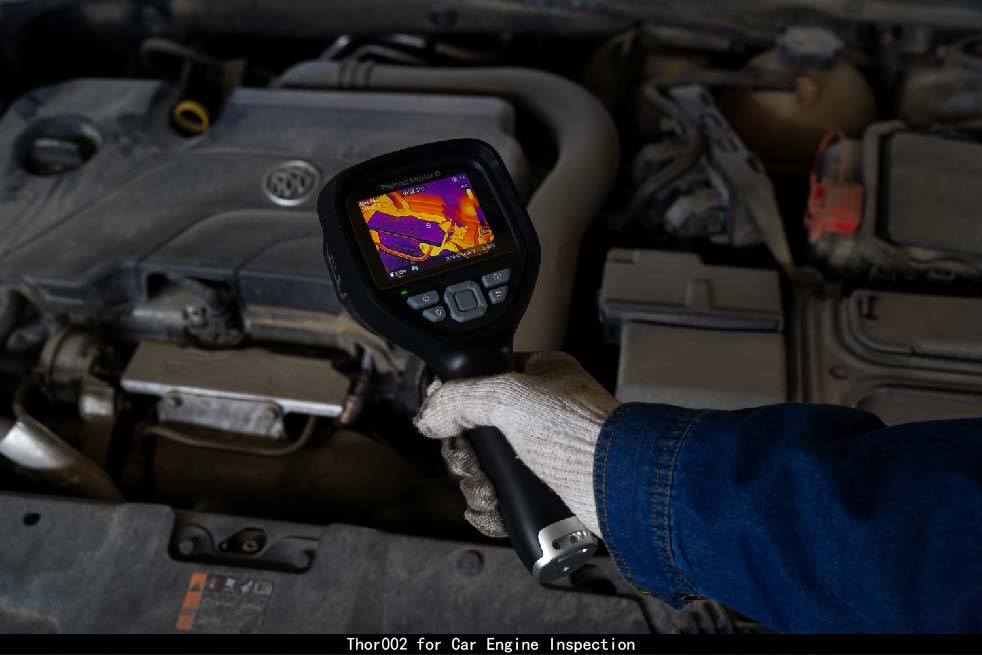
The Thermal Master Thor002 is a handheld thermal camera with a 3.5-inch display. Technicians can view real-time thermal scans directly on the device without connecting to a smartphone.
Dan, an auto repair technician from Odessa, Texas, shared a real-world case
"A vehicle repeatedly overheated, but no visible coolant leak could be found. Using the Thor002, we quickly identified a hidden leak. The radiator had corroded from long-term use of undiluted ethylene glycol coolant, causing coolant to seep out only on rough roads."

Jake Uses Thor002 to Detect a Coolant Leak in a Classic Car
Jack discovered a slow coolant leak in his Chevrolet Impala after the original rubber gaskets deteriorated during years of storage.
Using the Thor002 handheld thermal camera with fusion mode and 8× digital zoom, he quickly located a tiny leak at a pipe joint without unnecessary disassembly. For classic vehicles with limited repair resources, thermal imaging offers a fast and reliable way to diagnose hidden faults.
Conclusion
There’s no single best option between handheld and phone thermal cameras. It all comes down to your actual use case. For quick mobile checks where portability matters most, a phone thermal camera works great. For professional jobs requiring bulk image storage, documentation and client reports, a dedicated handheld thermal camera is ideal.
Read more
More articles about car maintenance and troubleshooting are available for your reference.
How Does a Thermal Camera Help with Car Engine Repair?

Leave a comment
All comments are moderated before being published.
This site is protected by hCaptcha and the hCaptcha Privacy Policy and Terms of Service apply.