



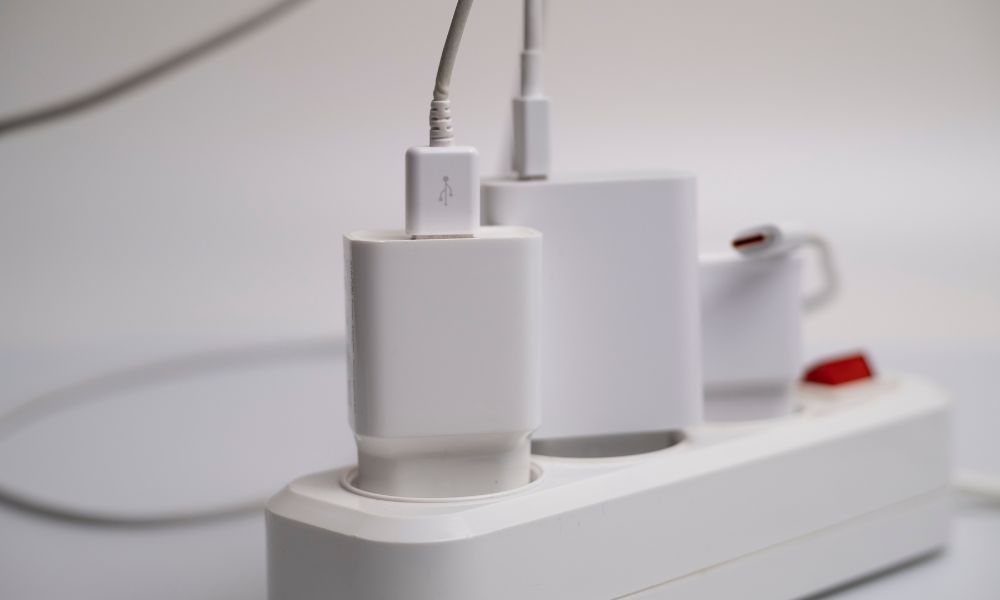
Using a thermal imager to inspect power outlets allows you to detect overheated wires, loose connections, and hidden electrical faults without breaking walls or touching live wiring, making inspections faster and safer for homeowners and electricians. Below, learn how to properly scan and analyze outlet temperatures to help reduce fire risks and improve troubleshooting accuracy.
Why Should You Use a Thermal Camera to Test an Electrical Outlet?
A thermal camera is one of the safest and fastest tools for testing electrical outlets because it helps you detect overheating without direct contact. Loose wiring, overloaded outlets, damaged terminals, or worn breakers often generate excess heat before visible failure appears. This means that a thermal imaging camera can help you identify hidden electrical risks early and reduce the chance of sparks, melting, or power loss.
Traditional outlet testers mainly check voltage or polarity, but they cannot easily reveal heat buildup inside walls or outlet connections. A thermal camera allows you to compare outlet temperatures instantly and spot abnormal hot areas during real operation. This makes thermal imaging especially useful for home inspections, workshops, offices, rental properties, and older electrical systems where hidden overheating problems are more likely to occur.

How to Test an Electrical Outlet with a Thermal Imaging Camera
Step 1: Apply Electrical Load to the Outlet
Before scanning, plug in a device that actively uses electricity, such as a heater, microwave, coffee maker, or gaming computer. In simple terms, outlets usually produce detectable heat only when current flows through the wiring and terminals. This means that testing an unused outlet may not accurately reveal loose connections or hidden resistance problems.
Step 2: Scan the Outlet with the Thermal Camera
Point the thermal camera directly at the outlet and the surrounding wall area while maintaining a close and stable distance. Slowly scan both sockets, the faceplate, and nearby drywall while monitoring temperature differences on the screen. In practice, a healthy outlet usually displays balanced heat patterns, while overheating outlets often show concentrated hot spots or uneven thermal distribution. This means that a noticeably hotter outlet compared to nearby outlets may indicate loose wiring, overloaded circuits, or internal electrical resistance.
Step 3: Compare Multiple Outlets
After scanning one outlet, inspect nearby outlets operating under similar conditions. In simple terms, comparison testing helps you identify abnormal heat patterns more accurately because room temperature and electrical load can vary slightly between circuits. A single outlet running much hotter than surrounding outlets usually deserves additional inspection.
Step 4: Check the Breaker Panel if Needed
If several outlets show elevated temperatures, the issue may originate from the electrical panel rather than the outlet itself. Use the thermal imaging camera to inspect breakers, wire terminals, and circuit connections carefully. This means that thermal imaging can help you trace overheating problems throughout the entire electrical circuit more efficiently.
Step 5: Repair or Replace the Faulty Outlet
Once abnormal heat patterns are identified, disconnect power before touching the outlet or wiring. In practice, thermal cameras work best as early diagnostic tools that help you locate the problem faster before performing electrical repairs. If the outlet continues overheating after replacement, you may need a licensed electrician to inspect the full circuit.

What Thermal Patterns Usually Indicate a Problem?
Abnormal thermal imaging indicates hidden electrical problems, such as loose wiring, overloaded sockets, damaged terminals, or overheating behind walls. A normally functioning socket has a relatively uniform temperature; bright hot spots, rapid temperature increases, or heat spreading to surrounding walls indicate excessive resistance and a potential fire hazard. Thermal imaging technology can help you detect these problems early, preventing visible damage or circuit breaker failure.
Where Is Thermal Imaging Most Useful for Outlet Testing?
Thermal imaging becomes especially valuable in environments where electrical systems operate continuously or experience heavy electrical loads. In simple terms, thermal cameras help you inspect multiple outlets quickly without removing covers or opening walls.
- Residential Homes: Older houses often contain aging wiring, worn outlets, or overloaded circuits that gradually develop overheating issues.
- Rental Properties: Property managers can scan multiple rooms quickly during maintenance inspections without disrupting tenants extensively.
- Commercial Offices: Computers, printers, servers, and office equipment create a constant electrical load that may stress outlets over time.
- Garages and Workshops: Power tools, welders, battery chargers, and compressors often place heavy demand on electrical outlets.
- Industrial Facilities: Thermal imaging helps maintenance teams inspect electrical panels, machinery outlets, and production equipment more efficiently.
For example, HVAC technicians frequently use thermal cameras to inspect outlets connected to air conditioning systems because startup loads can reveal hidden electrical weaknesses very quickly.

Common Mistakes When Testing Electrical Outlets
One common mistake is scanning outlets without an active electrical load. An unused outlet may appear completely normal because little heat is being generated during idle conditions. This means that applying a realistic appliance load is important for accurate testing.
Another mistake is relying only on temperature numbers instead of analyzing overall thermal patterns. In practice, uneven heating often matters more than the highest temperature reading itself. A slightly warm outlet may still indicate a problem if nearby outlets remain significantly cooler under similar conditions.
Distance can also affect inspection quality. Standing too far away reduces thermal detail and may hide small hot spots around terminals or wiring connections. In simple terms, closer scanning usually produces more accurate thermal readings during electrical inspections.
Some users also forget about reflective surfaces. Glossy outlet covers can sometimes reflect nearby heat sources and create misleading readings on the thermal display. Scanning from multiple angles usually improves inspection reliability.
Best Thermal Cameras for Electrical Outlet Testing
Thermal Master P2 Pro
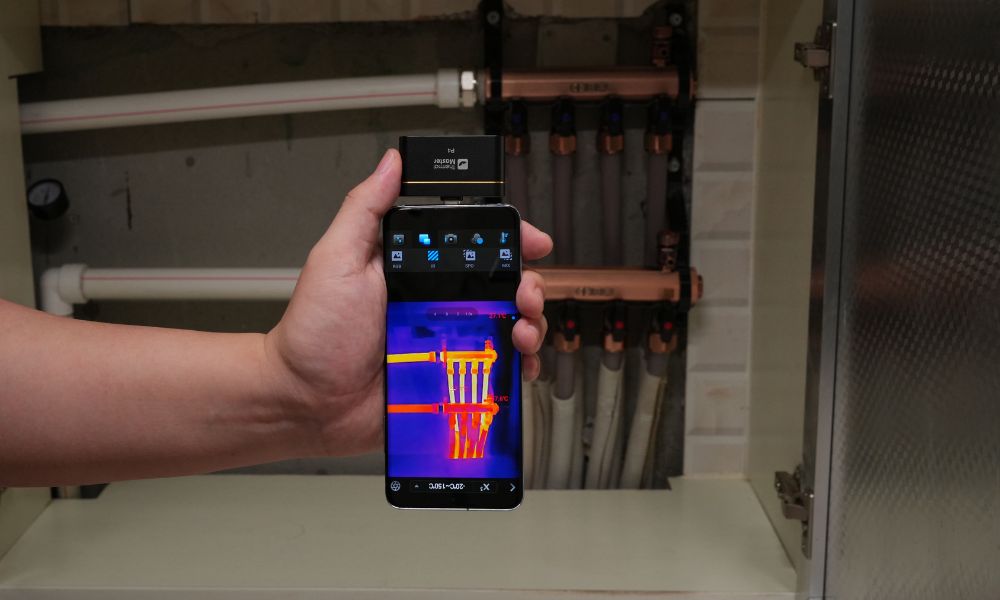
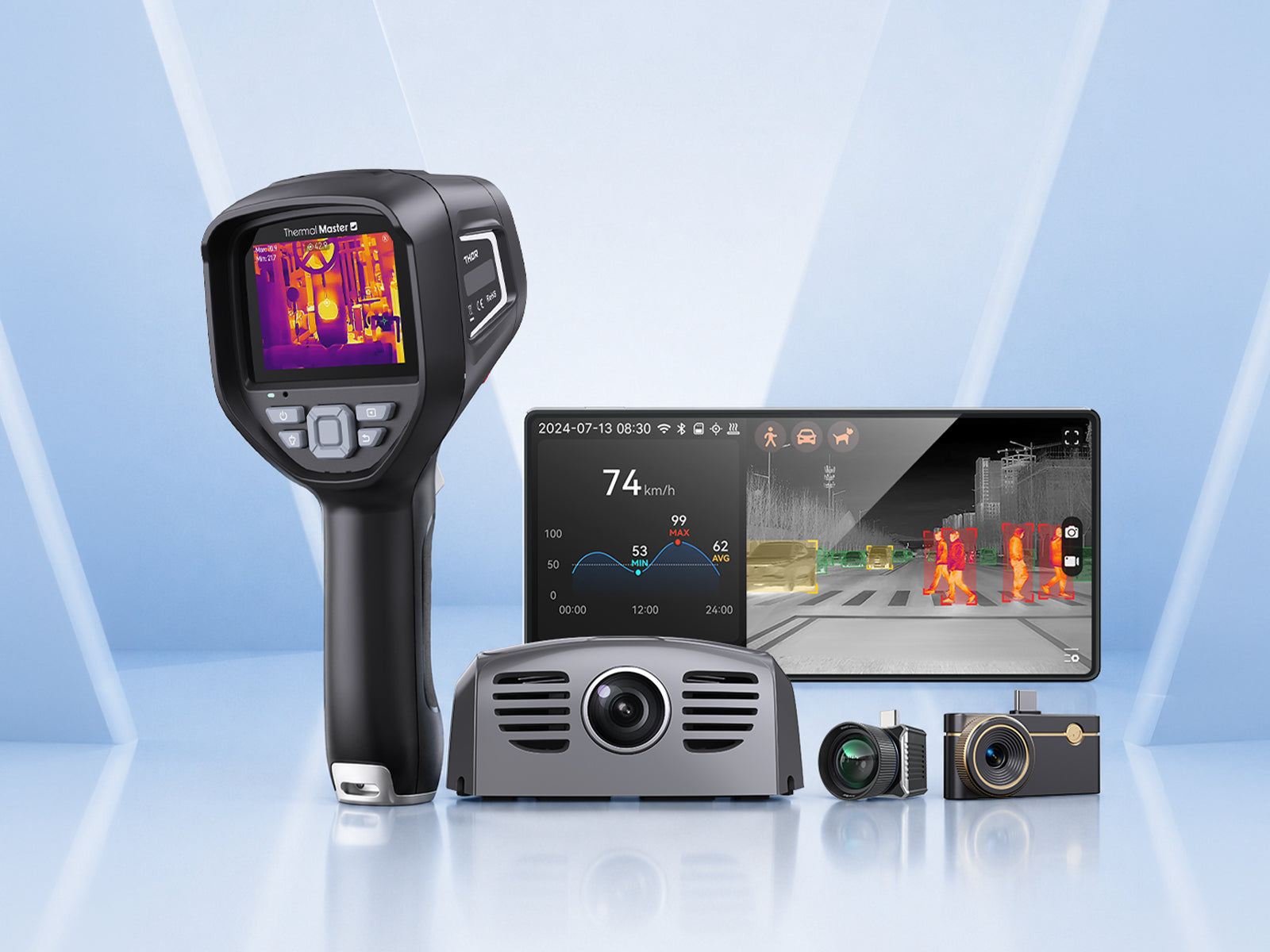
The Thermal Master P2 Pro is a compact smartphone thermal imaging camera designed for electrical inspections, HVAC diagnostics, and home maintenance. It uses a 256×192 infrared detector with ≤40mK NETD sensitivity, helping you identify subtle outlet overheating and hidden wiring problems more clearly during close-range inspections. The lightweight smartphone-based design also makes it easier to carry during residential inspections or preventive maintenance work. This means that the P2 Pro works especially well for electricians, DIY homeowners, maintenance technicians, and HVAC professionals performing portable outlet testing.
- 256×192 IR Resolution: Captures clearer outlet heat patterns during electrical inspections
- ≤40mK NETD Sensitivity: Detects subtle overheating caused by loose wiring or damaged terminals
- 15× Digital Zoom: Helps inspect outlets and breakers from safer viewing distances
- 0.33W Low Power Consumption: Supports longer inspections without quickly draining your smartphone
- Magnetic Macro Lens: Improves close-range visibility for terminal and wiring inspections

Thermal Master Thor 001
The Thermal Master Thor 001 is a handheld thermal camera built for electrical troubleshooting, industrial inspections, and facility maintenance. It combines 256×192 infrared resolution with enhanced 512×384 Super IR imaging and ±1.5°C accuracy, helping you analyze outlet temperatures and breaker conditions more reliably during larger inspections. The standalone handheld design and larger 3.5-inch IPS display also improve visibility during long inspection sessions compared to smaller smartphone devices. This means that the Thor 001 is particularly suitable for electricians, building inspectors, maintenance teams, and industrial technicians working across multiple rooms or larger electrical systems.
- ±1.5°C Accuracy: Supports more reliable outlet temperature comparison during diagnostics
- 512×384 Super IR Resolution: Improves thermal detail for outlet and breaker inspections
- <35mK Thermal Sensitivity: Detects small electrical temperature differences more clearly
- 3.5-inch IPS Display: Makes thermal patterns easier to analyze during field inspections
- 8-Hour Battery Runtime: Supports long electrical troubleshooting sessions without interruption
- 2× and 4× Digital Zoom: Helps inspect electrical panels and ceiling wiring safely

Specifications of the Two Products
|
Model |
P2 Pro |
Thor001 |
|
Positioning |
World's Smallest Thermal Camera |
Expert Thermal Imager |
|
Price(USD) |
269 |
599 |
|
Product Form |
Phone Thermal Camera(IOS\Android) |
Standalone Thermal Imager |
|
IR Eraser |
× |
× |
|
Dual Lens |
× |
√ (IR-Fuse) |
|
X³IR Resolution |
512×384 |
512×384 |
|
Detector |
Vox 256×192 @12μm |
Vox 256×192 @12μm |
|
Measurement Range |
-4℉~1112℉ (-20℃~600℃) |
(-4°F ~ 1022°F) (-20℃~550℃) |
|
Temperature Accuracy |
±2℃ |
±1.5℃ |
|
NETD |
≤40mK |
≤35mK |
|
Compatible Systems |
Only iOS or Android |
/ |
|
Application |
Home Inspection, PCB, Electrical Inspection |
PCB, Electrical & Industrial Inspection, Home Inspection |
Summary
Using a thermal imager to inspect power outlets is one of the safest and most effective ways to identify overheating problems and prevent them from becoming serious electrical hazards. Thermal imagers can detect loose connections, overloaded circuits, damaged circuit breakers, and abnormal heating patterns without requiring wall removal or direct contact with live wiring. By combining electrical load testing with precise thermal analysis, you can improve detection accuracy and reduce troubleshooting time.
FAQ
Can a thermal camera detect bad electrical outlets?
The answer is yes, because overheating outlets usually create abnormal thermal patterns that a thermal camera can identify quickly, so you can detect hidden electrical problems earlier.
How hot should an electrical outlet normally be?
The answer is that most outlets should remain only slightly warm during normal operation, because healthy electrical connections generate minimal resistance heat, so you can compare suspicious outlets with nearby normal outlets.
Is thermal imaging safe for electrical inspections?
The answer is yes, because thermal cameras perform non-contact temperature inspection without touching energized wiring directly, so you can reduce inspection risks significantly.
What usually causes electrical outlets to overheat?
The answer is loose wiring, overloaded circuits, worn terminals, or damaged electrical connections, because increased electrical resistance generates excess heat over time, so you can identify these issues earlier with thermal imaging.
Can a smartphone thermal camera test outlets effectively?
The answer is yes, because modern smartphone thermal cameras provide enough thermal sensitivity and resolution for electrical diagnostics, so you can perform portable outlet inspections more conveniently.
Related Reading:
How to Use a Thermal Imaging Camera?

コメントを書く
全てのコメントは、掲載前にモデレートされます
このサイトはhCaptchaによって保護されており、hCaptchaプライバシーポリシーおよび利用規約が適用されます。