



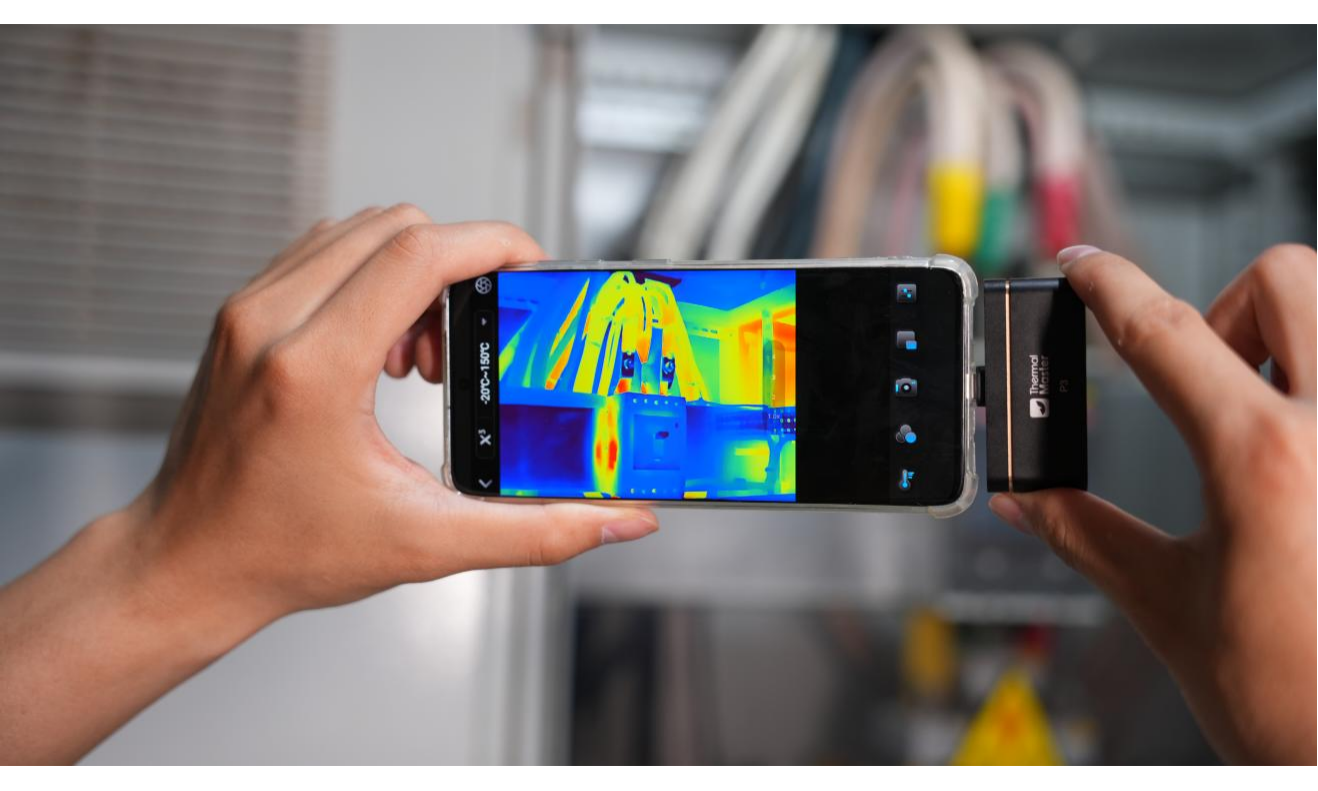
Water leaks can hide behind walls, under floors, or around appliances, quietly causing damage over time. If not discovered early, they often lead to expensive repairs. A thermal imager for detecting water leaks offers a smarter, cleaner way to find hidden moisture.
The Thermal Master P3 is a powerful option for both professionals and everyday users. Designed to be compact, accurate, and easy to use, this device helps you quickly detect leaks using thermal imaging. In this guide, we’ll show how the P3 works and why it’s one of the most reliable tools available in 2025 for spotting water leaks before they cause serious damage.

What Makes a Thermal Imager Good for Detecting Water Leaks?
A high-quality thermal imager for leak detection must be sensitive enough to capture subtle temperature differences between dry and wet surfaces. Moisture alters how materials absorb and release heat, so high thermal sensitivity and clear image resolution are crucial for identifying these minute changes. Without sufficient detail, it's difficult to distinguish between a genuine leak and normal surface temperature variations.
Ease of use is also important. Reliable thermal imager equipment should provide smooth scanning, accurate temperature measurements, and adjustable settings, such as emissivity and environmental compensation. For practical leak detection, features such as digital zoom, multiple color modes, and image saving capabilities can improve detection efficiency and reliability.
Best Thermal Imager for Water Leak Detection
When searching for hidden leaks, it's crucial to be able to clearly and quickly identify subtle temperature differences. A good infrared thermal imager should be able to easily scan large areas while providing enough detail to detect minute signs of dampness behind walls or under floors.
Based on the above considerations, the Thermal Master P3 is an excellent choice due to its practicality and reliability. Its enhanced 512×384 X³IR™ resolution highlights temperature anomalies caused by trapped moisture, making it easier to narrow down the problem area and avoid unnecessary dismantling. Manual focus and adjustable settings also enable more precise inspection of pipes, joints, and confined spaces.
Another advantage is its smartphone connectivity. Whether you're a homeowner tracking a problem or a professional preparing a report, you can easily record images or videos directly on your phone. In short, it achieves a perfect balance between clarity, ease of use, and practical functionality, making it ideal for leak detection.
How the P3 Thermal Imager Detects Water Leaks?
The P3 uses infrared sensing to capture subtle temperature changes on surfaces. When moisture is present, it affects how heat is distributed across materials like drywall, concrete, or wood. These changes appear on the thermal image as cooler or warmer areas, which can often be the first clue to a hidden leak.
Thanks to its 512×384 X³IR™ resolution and the RazorX™ image algorithm, the P3 produces clear, detailed visuals that make it easier to spot temperature irregularities. This makes it a useful tool for checking:
- Plumbing inside walls or beneath flooring
- Moisture damage near HVAC units
- Leaks on rooftops or outer walls
- Bathroom and kitchen pipe systems
- Basements and crawlspaces where water tends to collect

It’s important to understand that thermal imagers don’t measure moisture directly. Instead, they detect temperature differences that often indicate the presence of moisture. For the most accurate diagnosis, thermal imaging can be combined with tools like a moisture meter when confirmation is needed.
Why Use the P3 Thermal Imager for Leak Detection?
1. Non-Invasive High-Precision Leak Detection
The P3 removes the need to cut into walls or lift flooring. Its manual focus enables close-up inspection of pipes and fittings with high accuracy. This is especially helpful in tight or hidden spaces. With a wide temperature range from -4℉ to 1112℉ and ±2℃ accuracy, it detects both hot and cold water leaks even in challenging conditions.
2. Cross-Platform Compatibility
The P3 connects with both Android and iPhone devices. Whether you're using a Samsung for HVAC work or an iPhone for home inspections, it integrates smoothly into your routine. It also supports PC analysis when a more detailed review is needed.

When Thermal Imaging Works Best?
Thermal imagers don’t measure moisture directly — they detect temperature differences that may indicate hidden leaks. Detection works best when there is a clear temperature contrast, such as when hot or cold water is running through pipes, after recent water usage, or when indoor and outdoor temperatures differ. If surface temperatures are uniform, a moisture meter can help confirm the results.
How to Use the P3 for Leak Detection?
Step 1: Set Up the Camera
Connect the P3 to your phone and open the app. Select one of the 12 professional color palettes and adjust key settings such as emissivity, distance, and ambient temperature to ensure accurate thermal readings. These steps help the P3 perform at its best as a thermal imager for detecting water leaks.
Step 2: Inspect the Area
Slowly scan walls, ceilings, or floors where you suspect moisture might be hiding. The 15x digital zoom helps you focus on specific areas like joints or pipe bends. Use the isotherm function and smart temperature alarms to identify spots with unusual thermal signatures, which often indicate leaks.
Step 3: Analyze and Save
The P3 includes built-in measurement tools that let you highlight problem areas with three-point, line, rectangle, or circle overlays. You can capture thermal images or videos and save them for later. Sharing results is easy and can be useful for clients, team members, or insurance documentation.
Step 4: Confirm the Diagnosis
Once the thermal imager for detecting water leaks shows a temperature anomaly, it’s a good idea to verify it with a moisture meter or a quick physical check. In many cases, the thermal image provides enough clarity to confirm the issue.

FAQs
1. Can a thermal imager detect water leaks directly?
No, a thermal imager does not detect water itself. Instead, it detects temperature differences that may indicate the presence of moisture. When water accumulates behind a surface, it changes how heat moves through materials, creating visible thermal patterns that can signal a possible leak.
2. How accurate is a thermal imager for finding leaks?
A high-quality thermal imager can be very effective at identifying areas where temperature anomalies suggest hidden moisture. However, accuracy depends on having sufficient thermal contrast. For best results, thermal imaging is often used alongside a moisture meter to confirm findings.
3. Can a thermal camera find leaks behind walls?
Yes, thermal cameras are commonly used to detect temperature variations behind drywall, ceilings, or flooring. While they cannot see through walls, they can reveal surface temperature changes caused by moisture inside the structure.
4. Is a thermal imager worth it for homeowners?
For homeowners dealing with recurring moisture issues, a thermal imager can help identify problem areas early without cutting into walls. It can save time, reduce guesswork, and potentially prevent costly structural damage.
Related Reading:

Leave a comment
All comments are moderated before being published.
This site is protected by hCaptcha and the hCaptcha Privacy Policy and Terms of Service apply.