



Mit dem richtigen externen Zubehör verwandelt sich Ihr iPhone in ein praktisches Wärmebildgerät, das Probleme wie Überhitzung, elektrische Fehlfunktionen oder andere Schwierigkeiten leicht erkennt.
Dieser Leitfaden stellt vier der besten Wärmebildkameras für das iPhone vor: Thermal Master P1, P2 Pro, P3 und FLIR ONE Edge Pro, um Ihnen bei der Auswahl des richtigen Tools für den privaten, professionellen oder technischen Einsatz zu helfen.
Kann eine iPhone-Kamera Wärmebilder aufnehmen?
Ja, iPhones können Wärmebilder erstellen, dies erfordert jedoch externe Hardware. Da die eingebaute Kamera des iPhones nur sichtbares Licht und keine Infrarotstrahlung erfassen kann, müssen Sie ein spezielles Wärmebildmodul über den Ladeanschluss anschließen.
Einmal angeschlossen, ermöglicht das Wärmebildzubehör Ihrem Telefon, Temperaturunterschiede anzuzeigen und Probleme wie Wärmelecks oder Überhitzung zu erkennen.
Was ist bei der Auswahl einer iPhone-Wärmebildkamera zu beachten?
Bei der Auswahl eines Wärmebildzubehörs für Ihr iPhone können Sie die folgenden vier Hauptfaktoren berücksichtigen:
- Konnektivität und Kompatibilität: Stellen Sie sicher, dass die Wärmebildkamera-Schnittstelle mit Ihrem Telefon kompatibel ist (iPhone 15 und spätere Modelle verwenden USB-C, ältere Modelle verwenden Lightning). Wählen Sie ein Gerät, das zu Ihrer Handyhülle passt, und stellen Sie eine stabile Systemkompatibilität für eine nahtlose Identifizierung sicher.
- Bildklarheit und Kernspezifikationen: Die Bildqualität von Wärmebildern hängt hauptsächlich von Auflösung und Empfindlichkeit ab; höhere Pixelzahlen führen zu schärferen Details. Darüber hinaus sorgen höhere Bildraten (z. B. 25 Hz) für ein flüssigeres Benutzererlebnis und vermeiden Verzögerungen oder Unschärfen beim Scannen.
- Temperaturbereich und Genauigkeit: Wählen Sie den geeigneten Temperaturbereich entsprechend Ihren Anforderungen: Standard-Hausinspektionen erfordern eine maximale Temperatur von 150 °C, während industrielle oder elektrische Arbeiten höhere obere Temperaturgrenzen erfordern. Es ist auch notwendig, sicherzustellen, dass das Gerät professionelle Genauigkeitsstandards (z. B. ±2 °C) für zuverlässigere Inspektionsdaten einhält.
- Softwarefunktionalität und Objektivoptik: Die Anwendung sollte Echtzeitanalyse- und professionelle Berichtsfunktionen unterstützen. Aus Hardwaresicht verbessern Funktionen wie Dual-Spektrum-Mischung (für klarere Konturen) oder manueller Fokus die Objekterkennung und die Fähigkeit, winzige Komponenten aus nächster Nähe zu untersuchen.
Die Top 4 Wärmebildkameras, die mit dem iPhone kompatibel sind
Bei der Auswahl eines Wärmebildzubehörs für Ihr iPhone sollten Sie diese vier Schlüsselfaktoren berücksichtigen, um Ihr Smartphone in eine Wärmebildkamera zu verwandeln:
1. Thermal Master P1
Der Thermal Master P1 ist kompakt und sehr handlich und verfügt über einen außergewöhnlich weiten Temperaturbereich von bis zu 600 °C. Er ist ideal für schnelle Energieprüfungen zu Hause und extreme industrielle Hochtemperaturprüfungen, ohne eine zusätzliche Belastung darzustellen.
Hauptmerkmale
- Infrarotauflösung: 160 × 120, bietet die notwendige Klarheit zur Identifizierung von Wärmemustern.
- Thermische Empfindlichkeit (NETD): < 40 mK, ermöglicht die präzise Erkennung selbst geringster Temperaturunterschiede.
- Extremer Temperaturbereich: -20 °C bis 600 °C, bietet die Vielseitigkeit, alles von gefrorenen Rohren bis zu Maschinen mit hoher Hitze zu handhaben.
- Messgenauigkeit: ±2 °C oder ±2 %, gewährleistet zuverlässige und konsistente Daten bei jeder Messung.
- Bildrate: 25 Hz, sorgt dafür, dass Ihr Wärmebildvideo reibungslos und reaktionsschnell bleibt, während Sie sich bewegen.
- Ultra-Portables Design: Mit nur 17,6 g und 8,3 mm Dicke fügt es Ihrem iPhone praktisch kein Gewicht hinzu.

2. Thermal Master P2 Pro
Der Thermal Master P2 Pro integriert einen hochauflösenden 256×192-Sensor und ein spezielles magnetisches Makroobjektiv, das es Ihnen ermöglicht, thermische Signale auf mikroskopisch kleinen Komponenten zu erkennen, die von gewöhnlichen Wärmebildgeräten nicht erfasst werden können. Daher eignet er sich für die Elektronikreparatur, die Fehlerbehebung an Leiterplatten, die Forschung in Mikroschaltkreislaboren sowie die Vorhersage und Wartung kleiner Steckverbinder.
Hauptmerkmale
- Infrarotauflösung: 256 × 192 sorgt für ein klareres Bild, das eine präzise Lokalisierung von Wärmeverlusten ermöglicht.
- Thermische Empfindlichkeit (NETD): ≤ 40 mK, hilft Ihnen, schwache Wärmesignaturen von fehlerhaften Komponenten zu identifizieren.
- Messgenauigkeit: ±2 °C oder ±2 %, bietet professionelle Präzision für kritische technische Diagnosen.
- Flüssige Bildrate: 25 Hz, was bedeutet, dass Ihr Videofeed während des aktiven Gebrauchs flüssig und verzögerungsfrei bleibt.
- Magnetisches Makroobjektiv: Sie können das mitgelieferte Makroobjektiv aufsetzen, um Komponenten von nur 0,25 mm deutlich zu beobachten.
3. Thermal Master P3 (PCB Master)
Der Thermal Master P3 verfügt über ein manuelles Fokussierungssystem, das Ihnen die volle Kontrolle über die Bildschärfe von 8 cm bis 80 Metern ermöglicht und mit hoher Empfindlichkeit ausgestattet ist, um selbst kleinste Leckströme zu erkennen. Daher ist er für die Elektronikreparatur und Präzisionslabore geeignet.
Hauptmerkmale
- Infrarotauflösung: 256 × 192, verbessert durch RazorX IQ+-Algorithmen für maximale Bildqualität.
- Elite-Empfindlichkeit (NETD): Hohe Empfindlichkeit von <35mK, fähig, thermische Anomalien bis zu 1mA zu erkennen.
- Messgenauigkeit: ±2°C oder ±2%, bietet präzise Genauigkeit in professionellen Laborumgebungen.
- Gesamte Fokussteuerung: Verfügt über ein 8-mm-Manuellfokusobjektiv mit einem weiten Fokusbereich von 8 cm bis 80 m.
- Robuste Konstruktion: Gehäuse aus Flugzeugaluminium für optimierte Wärmeableitung und industrielle Haltbarkeit.
4. FLIR ONE Edge Pro
Die FLIR ONE Edge Pro verfügt über ein kabelloses Design und eine Multispektral-Bildgebungstechnologie, mit der Sie Ferninspektionen in beengten Räumen ohne Verbindung zu Ihrem Telefon durchführen können. Durch die Verwendung der MSX-Technologie zum Überlagern visueller Konturen auf Wärmebilder ist sie ideal für die HVAC-Diagnose und Energieaudits zu Hause.
Hauptmerkmale
- Infrarotauflösung: 160 × 120, verstärkt durch VividIR-Verarbeitung für verbesserte visuelle Tiefe und Klarheit.
- Thermische Empfindlichkeit (NETD): 70 mK, bietet eine konsistente Erkennung für HVAC- und Gebäudeaudits.
- Messgenauigkeit: ±3 °C oder ±5 %, erfüllt die Industriestandards für allgemeine thermische Fehlerbehebung.
- Kabellose Betriebsfreiheit: Verbindet sich über Wi-Fi und Bluetooth, sodass die Kamera unabhängig vom Smartphone gehalten werden kann.
- MSX-Bildverbesserung: Patentierte Technologie, die visuelle Konturen mit Wärmebildern verschmilzt, um Strukturen und Textbeschriftungen sichtbar zu machen.
Wie verwende ich eine Wärmebildkamera mit Ihrem iPhone?
Um eine Wärmebildkamera mit Ihrem iPhone zu verwenden, stecken Sie das Gerät einfach in einen Ladeanschluss oder verbinden Sie es drahtlos. Öffnen Sie dann eine spezielle App wie Thermal Master, um Ihren Bildschirm in eine Echtzeit-Wärmebildanzeige zu verwandeln.
Beachten Sie, dass verschiedene Marken von Wärmebildkameras unterschiedliche Apps erfordern. Diese App ermöglicht es Ihnen, Wärmesignale sofort anzuzeigen, wodurch es einfach ist, Temperaturanomalien und versteckte Probleme zu identifizieren.
Neben den Anzeigefunktionen bietet die Thermal Master App professionelle Tools zur Anpassung der Farbpalette, zum Einstellen von Temperaturalarmen und zur direkten Aufnahme hochauflösender Wärmebilder oder Videos auf Ihrem Telefon. Diese Funktionen sind entscheidend für die Aufzeichnung von elektrischen Hotspots oder Isolationslücken, sodass Sie sofort detaillierte Analyseberichte erstellen und teilen können.

Was können Sie mit einer Wärmebildkamera auf dem iPhone tun?
Installieren Sie eine Wärmebildkamera auf Ihrem iPhone, um die unsichtbare Welt der Wärme zu sehen. Dies macht sie zu einem idealen Werkzeug für professionelle Arbeiten und die Wartung zu Hause. Hier sind einige ihrer Verwendungszwecke:
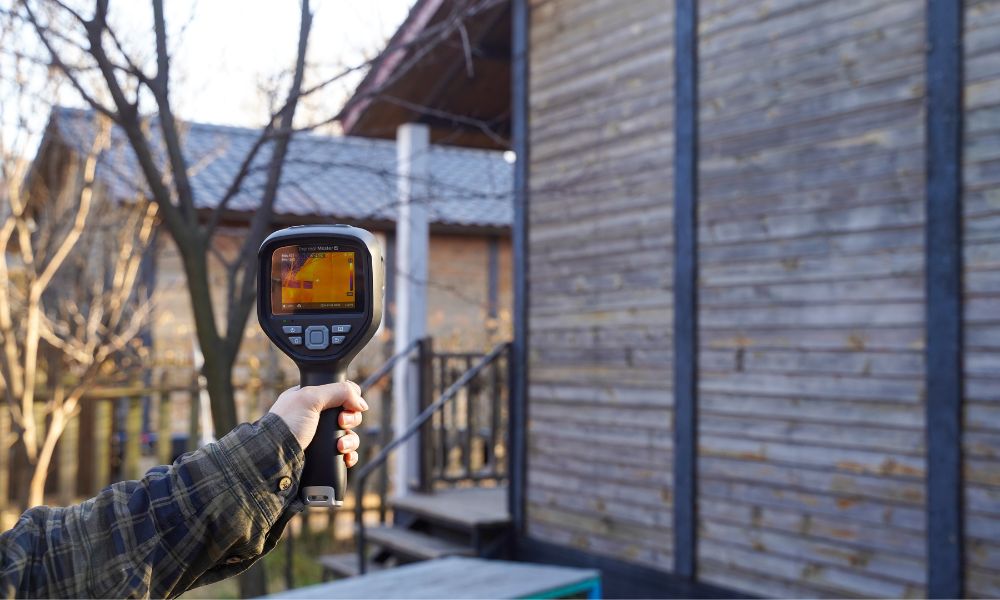
- Heim-Energieaudit: Finden Sie einfach fehlende Isolierung in Wänden, identifizieren Sie Luftlecks um Türen und Fenster und erkennen Sie Wärmebrücken, um die Energieeffizienz Ihres Hauses zu verbessern.
- Elektrische Inspektion: Sie kann Ihnen auch helfen, überlastete Stromkreise, lose Verbindungen oder überhitzte Leistungsschalter in Ihrem Schaltkasten sicher zu lokalisieren und Brandgefahren vorzubeugen.
- HVAC-Fehlerbehebung: Durch die Visualisierung von Luftstrom und Temperaturverteilung können Sie blockierte Heizkörper, Undichtigkeiten in der Fußbodenheizung oder Ungleichgewichte in Ihrem Klimaanlagensystem überprüfen.
- Rohr- und Lecksuche: Ermöglicht es Ihnen, Lecks in Warmwasserleitungen hinter Wänden zu lokalisieren oder Feuchtigkeitsansammlungen und feuchte Stellen zu identifizieren, die für das bloße Auge unsichtbar sind.
- Elektronikreparatur: Mit der hohen Auflösung von Geräten wie dem Thermal Master P2 Pro können Sie thermische Signale auf winzigen Komponenten erkennen und Kurzschlüsse auf Logikplatinen finden.
- Outdoor- und Sicherheitsanwendungen: Es kann verwendet werden, um Haustiere im Dunkeln zu finden, Glut in Lagerfeuern zu überprüfen und sogar die Oberflächentemperatur von Geräten wie Grills und Motoren zu überwachen.
Fazit
iPhones allein können keine Wärmebilder erstellen, aber mit einer externen Wärmebildkamera werden sie zu leistungsstarken Werkzeugen, um verborgene Wärmemuster aufzudecken und Probleme zu diagnostizieren. Egal, ob Sie Ihr Haus inspizieren, elektrische Systeme überprüfen oder technische Wartungsarbeiten durchführen, die richtige Kamera ermöglicht es Ihnen, klare Bilder aufzunehmen, Temperaturen genau zu messen und Ergebnisse direkt auf Ihrem iPhone zu analysieren.
Um die Auswahl zu erleichtern, haben wir die Top 4 der mit dem iPhone kompatiblen Wärmebildkameras im Jahr 2026 ausgewählt. Diese Optionen kombinieren Portabilität, Präzision und fortschrittliche Funktionen, um Ihnen dabei zu helfen, die perfekte Kamera für Ihren Arbeitsablauf zu finden und unsichtbare Wärmemuster mit Vertrauen zu erkennen.
Häufig gestellte Fragen
Kann das iPhone 16 Wärmebilder aufnehmen?
Da das iPhone 16 auf einen USB-C-Anschluss aufgerüstet wurde, ist es mit leistungsstarken externen Wärmebildkameras wie dem Thermal Master P1 kompatibel. Schließen Sie einfach die USB-C-Version der Wärmebildkamera direkt an das iPhone 16 an und öffnen Sie die Thermal Master App, um Ihr iPhone 16 sofort in ein professionelles Wärmebildwerkzeug zu verwandeln. Dadurch können Sie präzise thermische Signale und Temperaturanomalien direkt auf dem Bildschirm mit professioneller Genauigkeit erkennen.
Kann das iPhone 15 Wärmebilder aufnehmen?
Obwohl das iPhone 15 keine integrierte Wärmebildfunktion besitzt, ermöglicht sein USB-C-Anschluss eine nahtlose Verbindung zu professionellen externen Sensoren. Wenn Sie beispielsweise den Thermal Master P3 anschließen, können Sie über die Thermal Master App Ihr iPhone 15 in ein hochauflösendes Wärmebildgerät mit manuellem Fokus verwandeln. So können Sie selbst kleinste Wärmesignaturen auf Leiterplatten oder subtile Energieverluste direkt auf dem hochauflösenden Bildschirm Ihres Telefons erkennen.
Gibt es eine Wärmebildkamera-App für das iPhone?
Ja, es gibt Wärmebild-Apps, aber sie sind nicht "universell". Da die App direkt mit der Hardware der Kamera kommunizieren muss, müssen Sie die spezifische App verwenden, die vom Hersteller Ihrer Kamera erstellt wurde.
Wenn Sie beispielsweise eine Thermal Master-Kamera kaufen, müssen Sie die Thermal Master-App aus dem App Store herunterladen. Dadurch wird sichergestellt, dass Ihr iPhone das Gerät erkennen und professionelle Funktionen wie Echtzeit-Temperaturverfolgung und benutzerdefinierte Farbpaletten freischalten kann.

Hinterlasse einen Kommentar
Alle Kommentare werden vor der Veröffentlichung geprüft.
Diese Website ist durch hCaptcha geschützt und es gelten die allgemeinen Geschäftsbedingungen und Datenschutzbestimmungen von hCaptcha.