



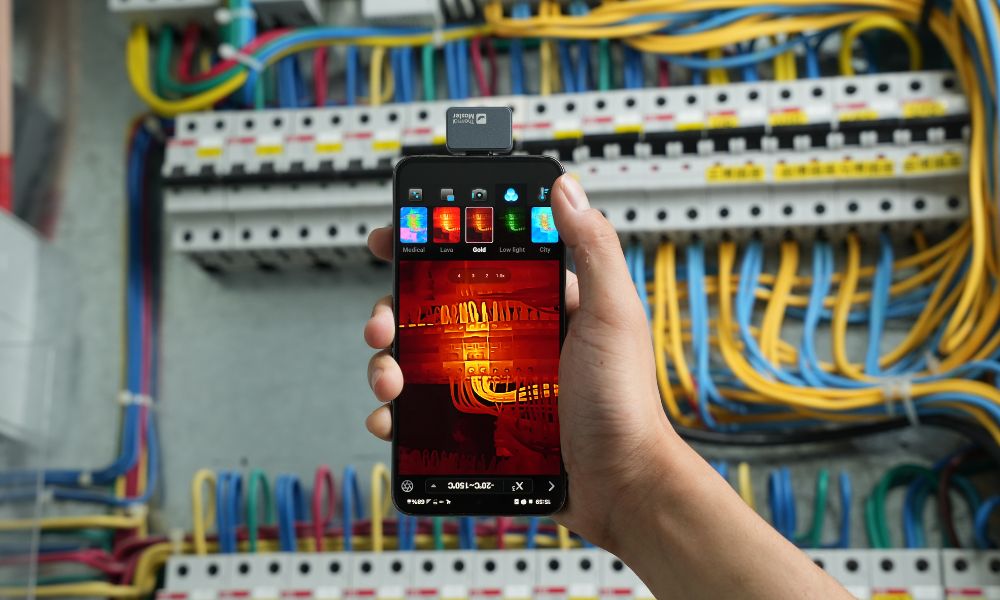
Kurze Antwort: Ihr Telefon kann keine Wärmebilder von selbst erstellen – aber mit einer kleinen externen Wärmebildkamera ist das absolut möglich.
Smartphones haben keine integrierten Wärmesensoren, aber mit dem richtigen Zubehör können sie für die Wärmebildgebung verwendet werden. Durch die Verbindung mit einem kompatiblen Wärmebildgerät und die Verwendung einer speziellen App kann Ihr Telefon eine realistische Temperaturverteilungskarte anzeigen, die Ihnen bei Routineuntersuchungen oder Diagnosen hilft.
Im Folgenden zeigen wir Ihnen, wie Sie Ihr Telefon in ein Wärmebildgerät verwandeln, welche gängigen Anwendungen es gibt und wie Sie das richtige Wärmebildgerät auswählen.
Können Sie Ihr Telefon als Wärmebildkamera verwenden?
Ja, Sie können Ihr Telefon als Wärmebildkamera verwenden, aber nicht allein. Dies liegt daran, dass die meisten Smartphones keine integrierten Wärmesensoren haben, was bedeutet, dass sie von sich aus keine echten Wärmebilder aufnehmen können. Durch die Verwendung einer externen Wärmebildkamera und einer kompatiblen App kann Ihr Telefon jedoch echte Wärmebilder anzeigen und wie eine richtige Wärmebildkamera verwendet werden.
Funktionieren Smartphone-Wärmebildkameras auf iOS und Android?
Ja, Smartphone-Wärmebildkameras können sowohl mit iOS- als auch mit Android-Systemen verwendet werden, Sie müssen jedoch die Kompatibilität mit Ihrem Telefonmodell überprüfen. Verschiedene Systeme haben unterschiedliche Versionen, und Schnittstellentypen sowie Betriebssystemversionen können ebenfalls die Kompatibilität beeinflussen.
Beispiele wie das Wärmebildkamera-Zubehör Thermal Master P3 und P1 sind sowohl mit iOS- als auch mit Android-Systemen kompatibel. Achten Sie daher vor dem Kauf unbedingt auf die spezifischen Modellinformationen, um die Kompatibilität mit Ihrem Telefon sicherzustellen.

Wie verwandeln Sie Ihr Smartphone in eine Wärmebildkamera?
Jetzt können Sie Ihr Smartphone mit nur wenigen einfachen Schritten in eine Wärmebildkamera verwandeln. Im Folgenden finden Sie die detaillierten Einrichtungsschritte, um Ihr Telefon schnell einzurichten:
Wählen Sie ein kompatibles Wärmebildgerät-Zubehör
Für die Wärmebildkamera des Telefons ist ein externes Infrarot-Sensor-Wärmebildmodul erforderlich. Stellen Sie daher vor dem Kauf sicher, dass das Wärmebildgerät-Modell mit dem Betriebssystem (iOS oder Android), dem Schnittstellentyp und der Betriebssystemversion Ihres Telefons kompatibel ist.
Verbinden Sie das Wärmebildgerät mit Ihrem Telefon
Je nach Design des Wärmebildgeräts können Sie es über den Ladeanschluss oder über eine drahtlose Kopplung mit Ihrem Telefon verbinden. Nach der Verbindung nutzt das Wärmebildgerät Ihr Telefon als Anzeige- und Steuerungsschnittstelle.
Installieren Sie die Begleit-App
Jedes Wärmebildgerät wird mit einer speziellen App geliefert, um Infrarotdaten zu verarbeiten und in Wärmebilder umzuwandeln. Die Thermal Master App ermöglicht es Ihnen beispielsweise, die Farbpalette, den Temperaturbereich und grundlegende Einstellungen anzupassen.
Kalibrierung und Konfigurationseinstellungen
Einige Wärmebildgeräte erfordern bei der ersten Verwendung eine schnelle Kalibrierung, die möglicherweise auch die Einstellung von Emissionsgrad, Temperatureinheiten oder Brennweite erfordert, um genaue Messwerte zu gewährleisten.
Starten Sie einen Wärmescan
Nach der Einrichtung können Sie Oberflächen und Objekte in Echtzeit scannen. Die Wärmebild-App zeigt Temperaturunterschiede als Wärmebilder an und hilft Ihnen, Temperaturmuster zur Inspektion oder Diagnose zu identifizieren.
Wofür kann man eine Smartphone-Wärmebildkamera verwenden?
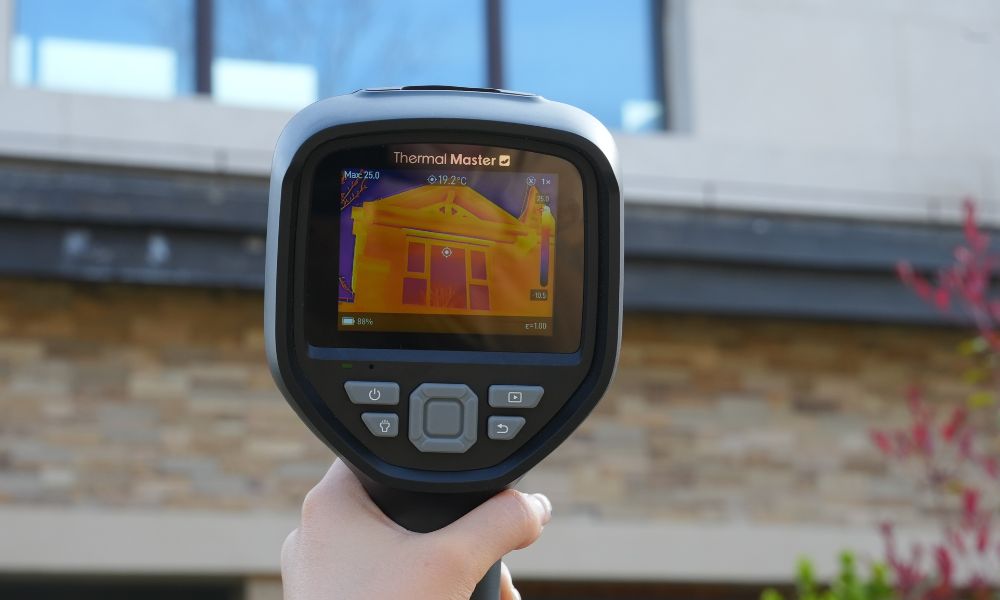
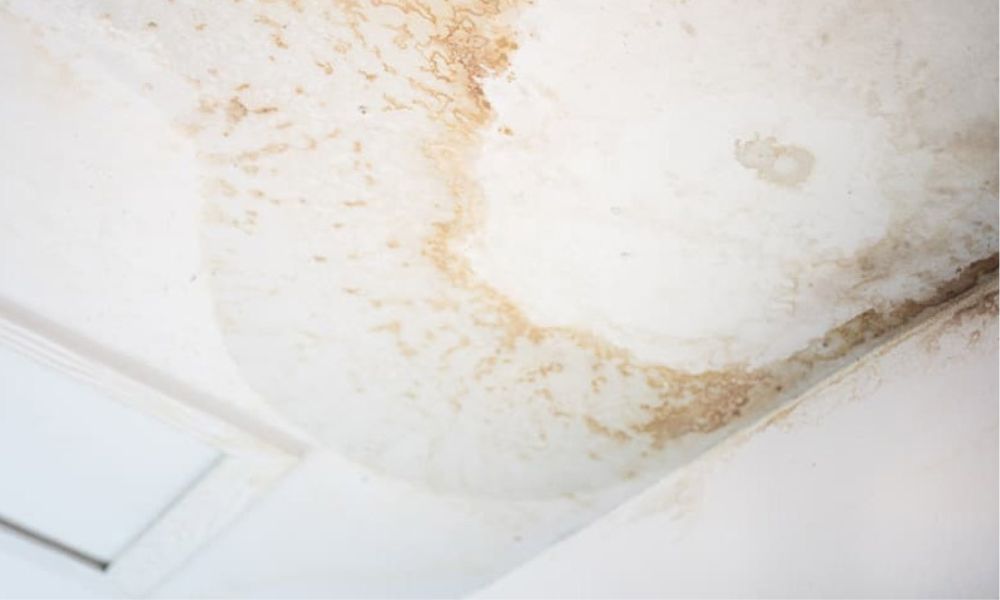
- Hausinspektionen: Hilft bei der Identifizierung von Wärmeverlusten, Isolationslücken oder feuchtigkeitsbedingten Temperaturmustern, die auf Lecks oder versteckte strukturelle Probleme hinter Wänden, Decken oder Böden hinweisen können.
- Elektrische Fehlerbehebung: Sie können eine Smartphone-Wärmebildkamera verwenden, um überhitzte Kabel, Leistungsschalter, Steckdosen oder elektrische Komponenten zu überprüfen, um potenzielle Fehlfunktionen oder Sicherheitsrisiken zu vermeiden.
- HVAC-Systeminspektionen: Sie können eine Smartphone-Wärmebildkamera auch verwenden, um ungleichmäßige Heizung oder Kühlung, Probleme mit dem Luftstrom und ineffiziente Bereiche in Heiz- und Klimaanlagen zu erkennen.
- Automobildiagnose: Kann auch helfen, überhitzte Komponenten wie Motor, Bremsen, Lager oder Auspuffkomponenten während Wartungs- oder Reparaturinspektionen zu lokalisieren.
- DIY- und Wartungsaufgaben: Ermöglicht die Anzeige von Temperaturunterschieden, ohne Wände einzureißen oder Geräte zu zerlegen, und unterstützt Heimwerkerprojekte.
- Allgemeine Temperaturüberwachung: Kann verwendet werden, um Oberflächentemperaturen zu vergleichen und Temperaturänderungen in alltäglichen Umgebungen oder Arbeitsszenarien zu verfolgen.
Was ist die beste Smartphone-Wärmebildkamera?
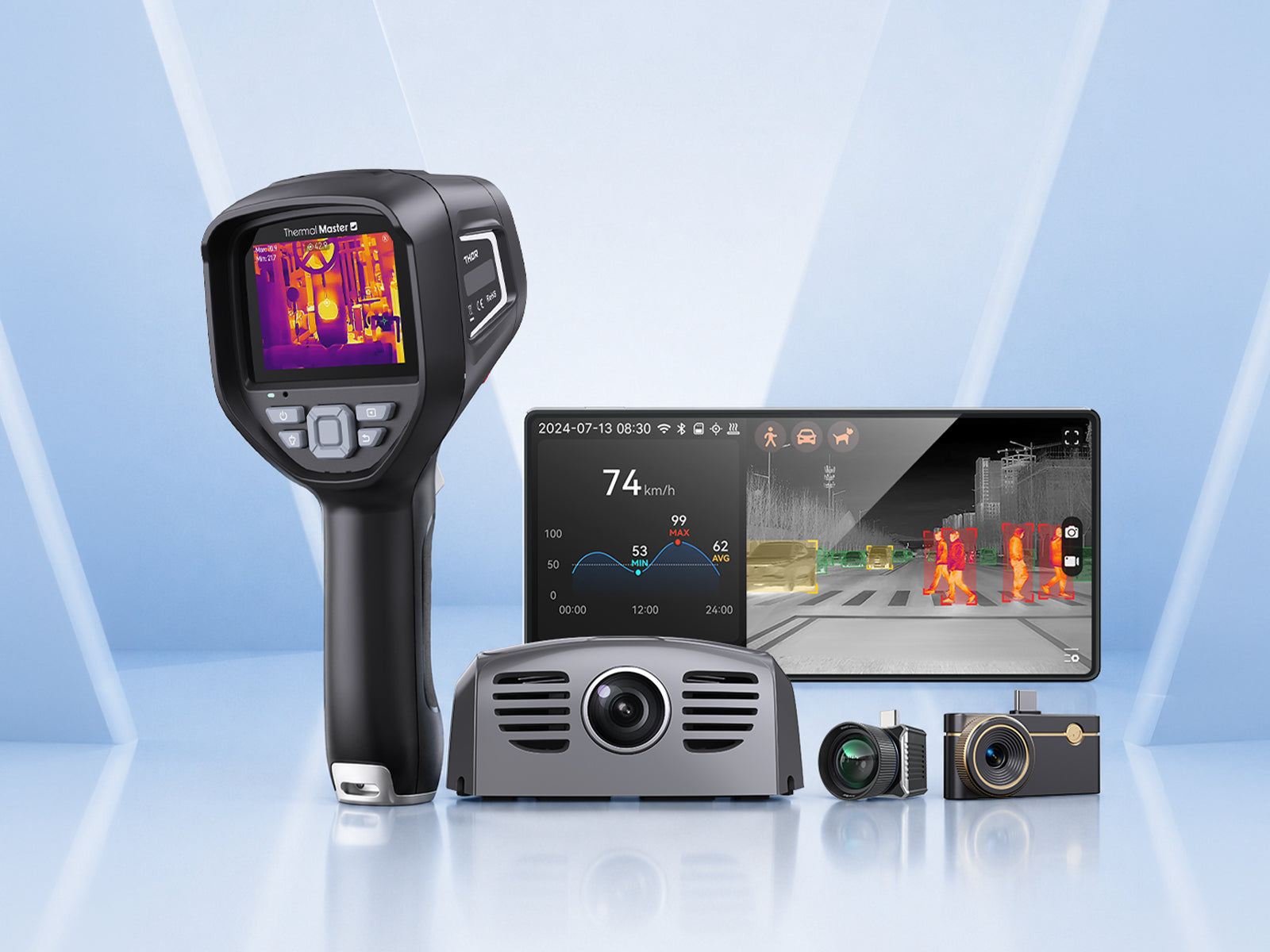
Bei der Auswahl der besten Smartphone-Wärmebildkamera sind Sie vielleicht unsicher, welche Sie wählen sollen. Thermal Master bietet eine Reihe zuverlässiger Wärmebildkameras an, die jeweils für unterschiedliche Anforderungen konzipiert sind, sodass Sie leicht das perfekte Produkt für Ihre Wärmebildanwendungen finden können. Werfen wir einen Blick darauf.
Thermal Master P1: Diese P1 Wärmebildkamera ist ideal für allgemeine Benutzer und Heimwerker. Sie liefert klare Wärmebilder und eignet sich für Hausinspektionen, grundlegende elektrische Überprüfungen und alltägliche Wartungsarbeiten und ist sowohl mit iOS- als auch mit Android-Geräten kompatibel.
Thermal Master P2: Diese P2 Wärmebildkamera bietet eine höhere Auflösung und genauere Temperaturmessungen. Sie ist perfekt für diejenigen, die klarere, stabilere Wärmebilder benötigen, aber keine sperrigen oder industrietauglichen Geräte verwenden möchten.
Thermal Master P3: Die P3 Wärmebildkamera ist ideal für diejenigen, die eine verbesserte Bildklarheit und fortschrittlichere Analysetools wünschen. Mit erweiterten Bildverarbeitungsfunktionen und erweiterten Messfunktionen ist die P3 Smartphone-Wärmebildkamera perfekt für professionelle Enthusiasten und leichte professionelle Anwendungen.
Alle drei Produkte werden direkt mit Ihrem Smartphone verbunden und über eine spezielle App bedient, wodurch Ihr Telefon in ein praktisches Wärmebildwerkzeug verwandelt wird.
Produktvergleichstabelle
|
Merkmal |
Thermal Master P1 |
Thermal Master P2 |
Thermal Master P3 (Leiterplatten Master) |
|
Thermische Auflösung (verbessert) |
320×240 (X³ IR™ verbessert) |
512×384 (X³ IR™ verbessert von 256×192) |
512×384 (X³ IR™ verbessert) |
|
Temperaturbereich |
–4 °F ~ 1112 °F |
–4 °F ~ 1112 °F |
–4 °F ~ 1112 °F |
|
Messgenauigkeit |
±3.6 °F (≈ ±2 °C) |
±1.5 °C (≈ ±2.7 °F) |
±2 °C / ±2% |
|
Messwerkzeuge |
Punkt-, Linien-, Flächenmessung |
Punkt-, Linien-, Flächenmessung |
Erweiterte Mehrpunkt- & Flächenanalyse |
|
Farbpaletten |
Mehrere Paletten unterstützt |
Mehrere Paletten unterstützt |
Mehrere Paletten unterstützt |
|
App-Funktionen |
Echtzeitanzeige, Digitalzoom, grundlegende Analyse |
Erweiterte Analyse & stabile Messwerte |
Erweiterte Bildverarbeitung & Analyse |
|
Smartphone-Kompatibilität |
iOS & Android |
Nur Android (Typ-C) |
iOS & Android |
|
Am besten geeignet für |
Heimwerker & erstmalige Wärmebildnutzer |
Android-Nutzer mit höherer Präzision |
Fortgeschrittene Nutzer & Leiterplatten / Präzisionsarbeiten |

Wie wählt man eine Smartphone-Wärmebildkamera aus?
Berücksichtigen Sie bei der Auswahl einer Smartphone-Wärmebildkamera die folgenden praktischen Faktoren:
- Thermische Auflösung: Eine höhere Auflösung bedeutet eine klarere Wärmebildkamera, wodurch subtile Temperaturunterschiede bei Inspektionen leichter zu erkennen sind.
- Temperaturbereich und Genauigkeit: Stellen Sie sicher, dass die Wärmebildkamera den von Ihnen verwendeten Temperaturbereich abdecken kann und zuverlässige Messwerte liefert.
- App-Funktionalität: Da Sie die Wärmebildkamera über eine App anzeigen und analysieren müssen, sollten Sie praktische Tools wie verschiedene Messoptionen, Farbpaletten und grundlegende Analysefunktionen berücksichtigen.
- Telefonkompatibilität: Überprüfen Sie auch, ob die Wärmebildkamera mit dem Betriebssystem und dem Schnittstellentyp Ihres Telefons kompatibel ist, um Einrichtungsprobleme zu vermeiden.
- Ihre Nutzung: Berücksichtigen Sie schließlich, ob Sie das Wärmebildgerät gelegentlich für Hausinspektionen oder häufiger für detaillierte Inspektionen verwenden werden, um ein Modell zu wählen, das zu Ihrer Nutzungshäufigkeit passt.
Fazit
Mit kompatiblen Wärmebildkameras und Apps können Smartphones für die alltägliche Wärmebildgebung verwendet werden und Ihnen bei einer Vielzahl von Inspektionen helfen, wie z.B. Hausinspektionen, elektrische Inspektionen, HVAC-Systemdiagnosen und grundlegende Wartungsarbeiten.
Durch die Auswahl eines Modells, das zu Ihrem Telefon und Ihren Nutzungsbedürfnissen passt, bieten Smartphone-Wärmebildkameras eine praktische und bequeme Option, ohne dass sperrige professionelle Ausrüstung erforderlich ist. Wenn Sie eine kaufen möchten, ist Thermal Master eine gute Wahl, da es verschiedene Arten von Wärmebildgeräten anbietet.
FAQ
Kann ein iPhone als Wärmebildkamera fungieren?
Das iPhone selbst kann nicht als Wärmebildkamera verwendet werden, da es keinen integrierten Wärmesensor besitzt. Durch die Verwendung kompatibler externer Wärmebildkamera-Zubehörteile und entsprechender Apps kann das iPhone jedoch realistische Wärmebilder für praktische Anwendungen wie Hausinspektionen, elektrische Prüfungen und allgemeine Fehlerdiagnosen anzeigen.
Wie verwendet man eine Wärmebildkamera auf Android?
Um eine Wärmebildkamera auf einem Android-Telefon zu verwenden, müssen Sie ein kompatibles Wärmebildkamera-Zubehör kaufen, um es mit Ihrem Gerät zu verbinden, und die erforderliche Begleit-App installieren. Sobald die Verbindung hergestellt ist, öffnen Sie die App, um Wärmebilder in Echtzeit anzuzeigen, Parameter wie Farbeinstellungen oder Messmodi anzupassen und Oberflächen oder Objekte zu scannen, um Temperaturunterschiede bei Inspektionen oder Diagnosen zu erkennen.
Gibt es eine Wärmebild-App für mein Telefon?
Einige Apps können mit Wärmebildzubehör verwendet werden, aber Apps allein können ein Telefon nicht in ein echtes Wärmebildgerät verwandeln. Echte Wärmebilder erfordern einen externen Wärmesensor oder ein Wärmebildgerät-Zubehör. Nach dem Anschließen des entsprechenden Wärmebildgerät-Zubehörs an das Telefon können Sie die entsprechende App installieren, um Echtzeit-Wärmebilder auf Ihrem Telefon anzuzeigen, aufzuzeichnen und zu analysieren.
Kann ein iPhone Wärme sehen?
Kurze Antwort: Nein – ein iPhone kann Wärme nicht von allein sehen.
iPhones (und alle Smartphones) haben keine integrierten Wärmesensoren. Die Kamera Ihres iPhones kann nur sichtbares Licht aufnehmen, keine Infrarotstrahlung, die zur Wärmeerfassung erforderlich ist.
Ein iPhone kann jedoch Wärme sehen, wenn es mit einem externen Wärmebildkamera-Aufsatz gekoppelt ist. Diese kleinen Plug-in-Geräte enthalten einen echten Infrarotsensor und werden über Lightning oder USB-C mit Ihrem Telefon verbunden. Sobald sie verbunden sind, wandelt eine Begleit-App die Infrarotdaten in ein Live-Wärmebild auf Ihrem Bildschirm um.
Funktionieren Wärmebildkamera-Apps wirklich?
Wärmebildkamera-Apps funktionieren nicht von alleine. Apps, die sich nur auf die integrierte Kamera eines Telefons verlassen, können keine Wärme erkennen und wenden in der Regel nur visuelle Effekte an. Echte Wärmebilder erfordern eine spezielle Infrarotkamera, um Wärmedaten zu erfassen. Die Rolle der App besteht darin, diese Daten auf Ihrem Telefon anzuzeigen und zu analysieren.
Weitere Lektüre:
Wie funktionieren Wärmebildkameras?
Können Wärmebildkameras durch Wände sehen?
Wie verwendet man eine Wärmebildkamera für die Hausinspektion?

Hinterlasse einen Kommentar
Alle Kommentare werden vor der Veröffentlichung geprüft.
Diese Website ist durch hCaptcha geschützt und es gelten die allgemeinen Geschäftsbedingungen und Datenschutzbestimmungen von hCaptcha.